
How to Apply for PMAY-U 2.0 and PMAY-Gramin Online — Eligibility, Documents & Subsidy Explained
Thank you for reading this post, don't forget to subscribe!September 8, 2026|CoreSignal
PM Awas Yojana 2026
Pradhan Mantri Awas Yojana (PM Awas Yojana 2026) remains India’s flagship “Housing for All” scheme, and 2026 finds it running under its second phase — PMAY-Urban 2.0, alongside the ongoing PMAY-Gramin for rural households. If you’re planning to apply, this guide walks through eligibility, the application process, required documents, and the subsidy you can expect.
What Is PMAY, and What’s New in 2.0?
PMAY was first launched in June 2015 to help economically weaker and low/middle-income families own a pucca (permanent) house. PMAY-Urban 2.0 was approved in the 2024 Union Budget and came into effect from September 1, 2024, with a mission period running through 2029. It aims to support construction or purchase of about 1 crore additional houses for urban poor and middle-class families, backed by an overall outlay of ₹10 lakh crore, including central assistance of ₹1.60 lakh crore.
Separately, PMAY-Gramin (PMAY-G) continues to serve rural households, with eligible families identified through the Awaas+ survey.


The Four Verticals of PMAY-U 2.0
Unlike a single uniform scheme, PMAY-U 2.0 is split into four verticals — and you must choose the right one, since it typically cannot be changed once selected:
| Vertical | Who It’s For | Assistance |
|---|---|---|
| BLC (Beneficiary-Led Construction) | EWS families who own land and want to build/improve a house themselves | Central assistance of ₹2.50 lakh per unit (houses up to 45 sqm) |
| AHP (Affordable Housing in Partnership) | Families who want to buy into housing projects built by public/private agencies | Central assistance of ₹2.50 lakh per unit (30–45 sqm carpet area) |
| ARH (Affordable Rental Housing) | Urban migrants, students, and workers needing rental housing rather than ownership | Access to low-cost rental units |
| ISS (Interest Subsidy Scheme) | Families taking a home loan to buy or build a house | 4% interest subsidy on the first ₹8 lakh of the loan, capped at about ₹1.80 lakh, paid over 5 yearly instalments |
Eligibility Criteria
General conditions:
- The applicant (or any family member) must not already own a pucca house anywhere in India
- Family income falls within the notified limits for the chosen category
- Aadhaar-based identification is mandatory for application and verification
- A beneficiary who received housing assistance under certain other central/state housing schemes in the preceding 20 years is generally not eligible
Income categories under ISS:
| Category | Annual Household Income |
|---|---|
| EWS (Economically Weaker Section) | Up to ₹3 lakh |
| LIG (Low Income Group) | Up to ₹6 lakh |
| MIG (Middle Income Group) | Up to ₹9 lakh (reduced from ₹18 lakh under the earlier PMAY 1.0 scheme) |
Note: BLC is specifically meant for EWS families (income up to ₹3 lakh) who already own land but need help constructing a house on it. If you own only a vacant plot, you can still apply under BLC to build a new home; if your family lives in a kutcha (temporary/mud) house, you may qualify to rebuild or upgrade it.
Documents You’ll Need For PMAY
- Aadhaar card (applicant and all family members)
- Bank account details — account number, branch, IFSC (should be Aadhaar-linked)
- Income certificate or proof (ITR isn’t mandatory for EWS applicants; a ration card and employer letter can substitute if you’re outside the tax bracket)
- Land ownership documents (for BLC applicants)
- Ration card / family ID
- For ISS applicants: bank loan sanction letter and Form 1B (auto-generated on the portal during application)
- Passport-size photograph
Tip: Make sure your name, date of birth, and address match exactly across Aadhaar, PAN, and the application form — mismatches are one of the most common reasons applications get stuck or rejected. Also avoid submitting utility bills or income proofs older than 3 months, as these may not be accepted.
How to Apply for PMAY-U 2.0 Online — Step by Step
- Visit the official PMAY-U portal.
- Click on “Apply for PMAY-U 2.0“
- Select your state and enter your annual household income — the system will indicate which category/vertical you’re eligible for
- Choose the vertical you want to apply under: BLC, AHP, ARH, or ISS (choose carefully, as this typically can’t be changed later)
- Enter your Aadhaar number and verify via the OTP sent to your registered mobile number
- Give consent for Aadhaar-based verification
- Fill in the application form: personal details, income, category, property details, and bank account information
- Upload the required documents
- Review everything, submit, and note down your Application/Assessment ID — you’ll need it to track your status later
Offline Option
If you’d prefer not to apply online, you can visit your nearest Common Service Centre (CSC). A physical application form is available there for a nominal fee (around ₹25 plus GST), which you fill in and submit along with your documents at the counter.

Applying for PMAY-Gramin (Rural)
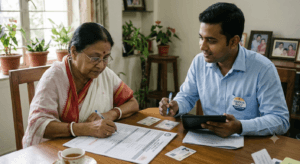
Rural applicants are generally identified through the government’s Awaas+ survey rather than a fully open online application. If you believe you’re eligible but haven’t been surveyed, contact your local Gram Panchayat or Block Development Office (BDO) to request inclusion, or check your status on pmayg official portal.
How to Check Your Application Status
- Go to pmaymis
- Look for the “Track Your Assessment Status“ option
- Search using your Assessment ID, mobile number, or name and other personal details
- Your current status — submitted, under verification, approved, or sanctioned — will be displayed
For PMAY-Gramin, beneficiary lists can be checked village- and panchayat-wise on the rural housing portal.
Common Reasons Applications Get Rejected or Delayed
- Selecting the wrong vertical for your situation (and being unable to change it later)
- Income details not matching supporting documents
- Applicant or family already owning a pucca house, disqualifying the application
- Aadhaar details not linked correctly, or mismatched names/addresses across documents
- Applying under a scheme (like the old CLSS) that has already closed — PMAY-U 2.0 has replaced it, so applicants should not attempt to apply for CLSS anywhere
- Duplicate applications — always check via “Search Beneficiary” on the portal before reapplying
Frequently Asked Questions
Is there a fee to apply for PMAY online?
Applying directly through pmaymis is free. Only the offline CSC route involves a small form fee.
Can I apply if I only own a plot of land, not a house?
Yes — this is exactly what the BLC vertical is for: building a new pucca house on land you already own.
What if my house is smaller than the minimum size mentioned in guidelines?
If your existing home is under roughly 21 sq.m., you may still be eligible for assistance — it’s worth raising this with your local ULB/BDO office along with your documents.
Can I change my vertical (e.g., from ISS to BLC) after applying?
Generally no — the vertical selection is locked in once you proceed, so it’s important to confirm which one applies to you before submitting.
Is the older CLSS (Credit Linked Subsidy Scheme) still active?
No. CLSS has closed and has been replaced by the Interest Subsidy Scheme (ISS) under PMAY-U 2.0. Don’t apply for CLSS anywhere — only ISS is currently valid.
Disclaimer: This article is based on publicly available information about PMAY-U 2.0 and PMAY-Gramin as understood at the time of writing. Income limits, subsidy amounts, verticals, and application procedures are determined by the Ministry of Housing and Urban Affairs / Ministry of Rural Development and are subject to change. Always verify current eligibility, deadlines, and procedures on the official portals (pmaymis.gov.in for urban, pmayg.gov.in for rural) or with your local ULB/Gram Panchayat before applying.