
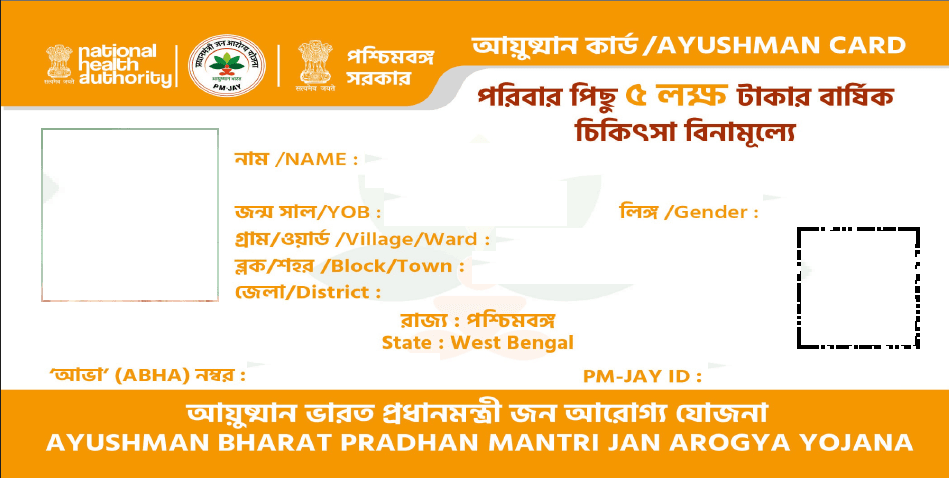
A step-by-step guide for eligible beneficiaries in West Bengal to check their PM-JAY status, complete verification and Ayushman Card download online.
Thank you for reading this post, don't forget to subscribe!August 20, 2026|CoreSignal
If your name shows up as eligible under Ayushman Bharat PMJAY but you don’t have a physical or digital copy of your card yet, downloading it is usually the last step — and for most people, it can be done from a phone in a few minutes, provided your e-KYC (identity verification) is already complete. This guide walks through the actual download process, the common snags people run into, and what to do if the online route doesn’t work for you.
What is the Ayushman Card, and why do you need to download it?
The Ayushman Card is the digital or printed proof that a person is a verified beneficiary under Ayushman Bharat Pradhan Mantri Jan Arogya Yojana (PM-JAY), the government’s health insurance scheme offering cover of up to ₹5 lakh per family per year for hospital treatment. The scheme is managed by the National Health Authority (NHA), and the beneficiary.nha.gov.in portal is the official digital gateway for it.
Simply appearing on the eligible beneficiary list isn’t enough on its own — hospitals generally need to see the actual card (or your verified status pulled up on their end) before processing cashless treatment. That’s why downloading the card, once you’re confirmed eligible, matters in practice.
Before You Start: What You’ll Need
- A mobile number to log in with (this doesn’t necessarily have to be your Aadhaar-linked number for the initial login, though final verification does use Aadhaar)
- Your Aadhaar number, since the OTP for final verification goes to the Aadhaar-linked mobile number
- Your PMJAY ID, Family ID, or ration card number, if you have one — this makes searching for your record faster
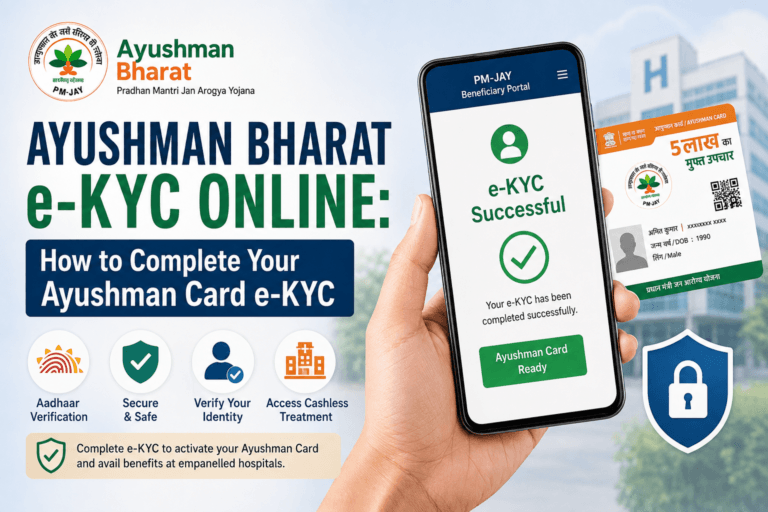
- Confirmation that your e-KYC is already complete. If it isn’t, you’ll need to finish that first — the download option typically won’t appear until it is
Ayushman Card Download Online: Step-by-Step
The process on the official beneficiary portal generally works like this:
- Go to official beneficiary login portal and select the “Beneficiary” login option.
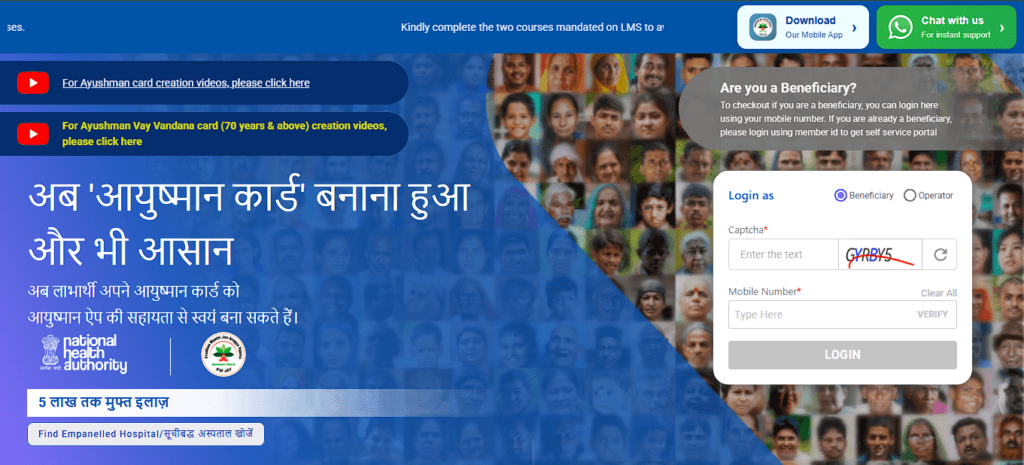
- Enter your mobile number and verify with the OTP sent to it.
- Select your state and the scheme (PM-JAY), then choose how you want to search — by Aadhaar number, Family ID, PMJAY ID, or name.
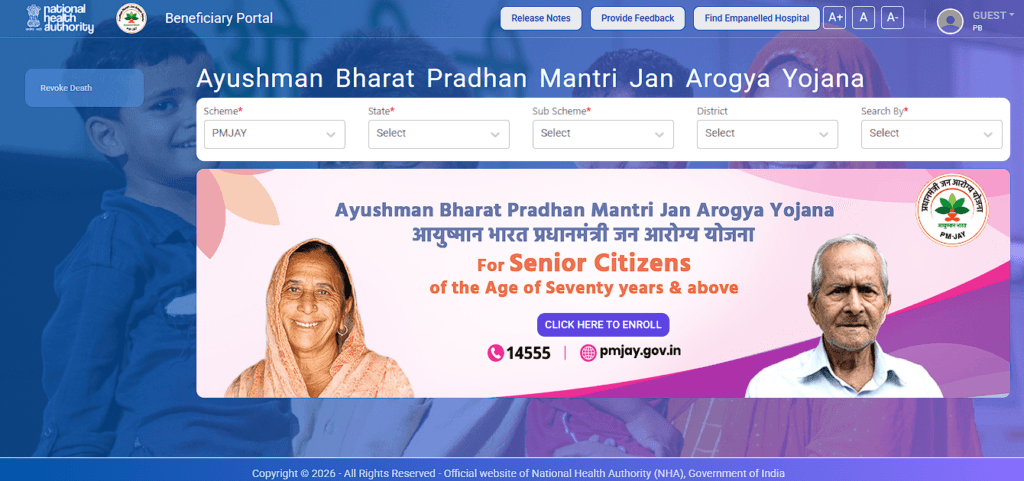
- Enter the relevant details and search. Your family’s record should appear, showing each member and their status.
- For a member whose e-KYC is already complete, a download option (often shown as a “Download Card” icon or button) should appear next to their name.
- You may be asked to complete a final Aadhaar-based authentication — typically OTP, though other methods may apply depending on what’s offered.
- Once verified, the card downloads as a PDF, ready to save or print.
The Ayushman App for Android follows roughly the same flow — log in with your mobile number, search your family record, complete e-KYC per member if it isn’t done already, and download the card from there. Some sources also mention the card being accessible through the UMANG app, though this wasn’t something I could independently confirm in detail, so treat it as a possible alternative rather than a guaranteed route.
What if the download option doesn’t appear?
This is the single most common hurdle, and it almost always comes down to one thing: your e-KYC isn’t complete yet. If your name shows up as eligible but there’s no download button, look for a “Verify” or “e-KYC” prompt next to your name instead — completing that step is usually what unlocks the download option.
A few other things worth checking if you’re stuck:
- Mobile number not linked to Aadhaar — since final verification relies on an Aadhaar OTP, an unlinked number will block the process. You’d need to update this with UIDAI, or use an alternative verification method if the portal offers one.
- Name not found in search — double-check you’ve selected the right state and search category. If searching by name doesn’t work, try Aadhaar number or Family ID instead, since minor spelling mismatches in older records are common.
- e-KYC recently submitted but still pending — approval isn’t always instant. If you’ve just completed e-KYC, it may be worth waiting a short while and checking again rather than assuming something’s gone wrong.
If none of these resolve it, the more reliable next step is getting help in person rather than repeatedly retrying online.
How to check your card status before downloading
You can check where things stand using the same login process described above — log in, search your record, and look at the status shown against your name. This will generally tell you whether you’re listed as eligible, whether e-KYC is pending, or whether your card is ready to download.
Can you get your Ayushman Card offline?
Yes, and for some people this is the more practical route:
- Common Service Centre (CSC) — CSC operators can search your record, complete e-KYC if needed, and print your card for you.
- Empanelled hospital’s Ayushman Mitra desk — most network hospitals have someone who can verify your eligibility and help complete the process, which can be especially useful if you’re trying to sort this out close to the time of treatment.
- PM-JAY helpline (14555) — useful if you’re not sure where your nearest access point is, or if you’re stuck at a step that isn’t resolving online.
Downloading the card directly from the official portal is free. CSCs may charge a small fee for printing or assisted service, so it’s worth asking locally rather than assuming either way.
For West Bengal: RKSY-I and RKSY-II ration cardholders
If you’re in West Bengal and hold an RKSY-I or RKSY-II ration card, it helps to understand what these actually are before assuming they work the same way as other ration card categories for Ayushman purposes.
RKSY-I and RKSY-II are state-funded ration card categories under West Bengal’s own Khadya Sathi scheme (Rajya Khadya Suraksha Yojana), separate from the central NFSA categories like AAY, PHH and SPHH. Broadly:
- RKSY-I covers financially underserved families not included in the central NFSA list, receiving a larger monthly grain quota.
- RKSY-II covers families slightly above the RKSY-I income threshold, with a smaller monthly quota.
What this means for Ayushman Card eligibility: West Bengal only began rolling out PM-JAY in mid-2026, after years of running its own separate scheme, so the standard SECC 2011-based eligibility check that works in most other states doesn’t automatically map onto every West Bengal ration card category. One point worth being aware of — reported informally but not confirmed through an official NHA or state notice — is that RKSY-I and RKSY-II cardholders may need to separately fill out an Ayushman Bharat registration form rather than being auto-listed as eligible. Treat this as unverified: the safer approach is to check your status directly on beneficiary.nha.gov.in first, and if your name doesn’t appear, follow up at a CSC or your local Ayushman Mitra desk to ask specifically about RKSY-based registration.
A related detail worth knowing: RKSY cardholders are not covered under One Nation One Ration Card (ONORC) — that ration portability facility is limited to AAY, PHH and SPHH cardholders only. This is a ration card rule, unrelated to Ayushman Bharat portability, but it’s a common point of confusion.
If you’re unsure which ration card category applies to you, the West Bengal Food & Supplies Department helpline (1800-345-5505) can clarify that, while the PM-JAY helpline (14555) is the right place to ask about Ayushman-specific eligibility.
If you’re not eligible for PM-JAY: Mukhyamantri Swasthya Bima Yojana (MMSBY)
For West Bengal residents who don’t qualify for Ayushman Bharat, the state government has introduced a separate scheme specifically to cover that gap. The Mukhyamantri Swasthya Bima Yojana (MMSBY) was approved by the West Bengal Cabinet on July 22, 2026 and formally notified by the Health and Family Welfare Department shortly after — sources report the notification and launch dates slightly differently (some cite July 25, others July 28–29, and the scheme was also stated to have officially launched on August 16, 2026), so treat the exact date as still settling rather than fixed. MMSBY effectively replaces and expands on the state’s earlier Swasthya Sathi scheme.
Key things to know about MMSBY:
- It provides cashless health coverage of up to ₹5 lakh per family per year, mirroring PM-JAY’s coverage amount.
- It’s aimed at permanent residents of West Bengal who are enrolled under Swasthya Sathi but do not qualify for AB PM-JAY.
- Treatment is available at hospitals empanelled under Ayushman Bharat PM-JAY, and coverage is reported to be portable across India, similar to PM-JAY.
- Individual health cards are issued free of cost to eligible beneficiaries, with no restriction on family size under the family floater structure.
Who is excluded from MMSBY: reported exclusion criteria include families with an annual income exceeding ₹8 lakh, and employees or pensioners already covered under the West Bengal Health Scheme 2008, Central Government Health Scheme (CGHS) 1954, or the Employees’ State Insurance Act 1948 — since the scheme is meant to fill a specific gap rather than duplicate existing coverage.
How to apply: at the time of writing, the full enrolment process and operational guidelines for MMSBY were still being finalized, with applicants generally expected to need their Aadhaar card, existing Swasthya Sathi card, proof of West Bengal residence, and family documents, verified through Aadhaar authentication. Since this is a newly launched scheme, it’s worth checking directly with your local health office or the state health department for the current application process rather than relying on any single guide, including this one, for exact steps.
In short: if you’re in West Bengal, check your PM-JAY eligibility first through the standard beneficiary portal process above. If you’re not eligible for PM-JAY but hold a Swasthya Sathi card, MMSBY is likely the scheme to look into next, rather than assuming you’re left without coverage.
Frequently Asked Questions
Sources:
- National Health Authority (nha.gov.in, beneficiary.nha.gov.in)
- Pradhan Mantri Jan Arogya Yojana official scheme information
- News on Air (Government of India press coverage on PM-JAY senior citizen coverage)
A note on sourcing: exact portal button labels and screen flow vary across independent reports, suggesting the interface may differ slightly by device, state, or update cycle. The steps above reflect the commonly reported pattern rather than a verified live walkthrough — if what you see on screen differs, follow what’s actually in front of you.


One Comment