How to register on the e-Paddy portal, sell directly to the government, and get fair prices without middlemen
Thank you for reading this post, don't forget to subscribe!September 13, 2026|CoreSignal
What Is Paddy Procurement Registration?
Every year, the Department of Food & Supplies, Government of West Bengal, procures paddy directly from farmers at the government-declared Minimum Support Price (MSP), cutting out middlemen and ensuring farmers get fair, guaranteed prices for their harvest. To sell paddy through this system, farmers must first register themselves on the state’s official e-Paddy portal — the digital platform that has replaced the older, manual, office-visit-based process.
Once registered, farmers can submit land and bank details online, choose a procurement centre, and schedule a date to sell their paddy — with payment credited directly to their bank account.
Why Register?
- Guaranteed MSP — get the government-fixed minimum price instead of relying on local traders or middlemen
- Direct bank transfer — payment goes straight into your account, with no cash handling delays
- Transparency — a public profile lets you view and verify your own registered details anytime
- No more queues — the entire process, from registration to scheduling your sale, can now be done online
Who Can Register in e-Paddy?
- Both Krishak Bandhu (a West Bengal farmer welfare scheme) enrolled farmers and non-Krishak Bandhu farmers are eligible to register
- You must be an actual cultivator with paddy to sell — land ownership or verified cultivation records are required
- Registration is open to farmers across the state, through their respective procurement centres
Documents You’ll Need
- Aadhaar card
- Land records (khatian/plot details showing you cultivate the land)
- Bank account details (account number and IFSC code, for direct payment)
- Mobile number (for OTP verification and SMS updates)
- Krishak Bandhu ID, if you’re already enrolled in that scheme
How to Register — Step by Step
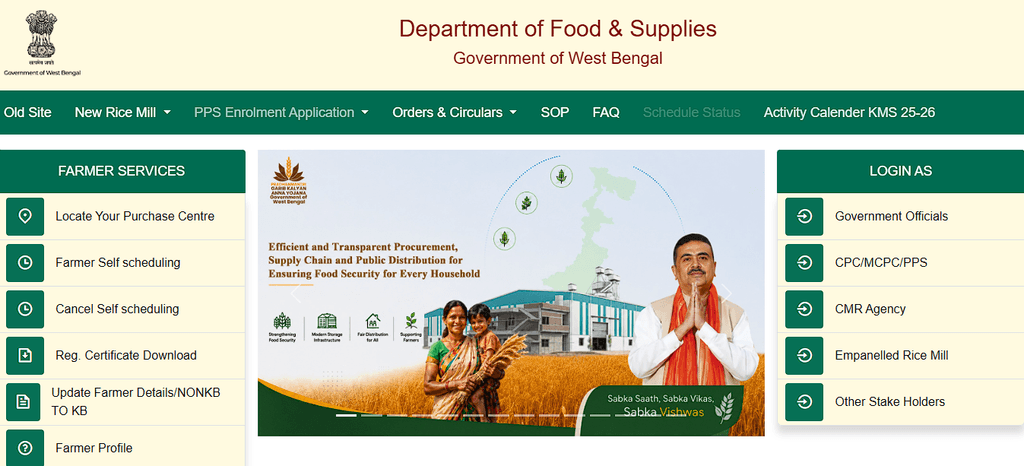
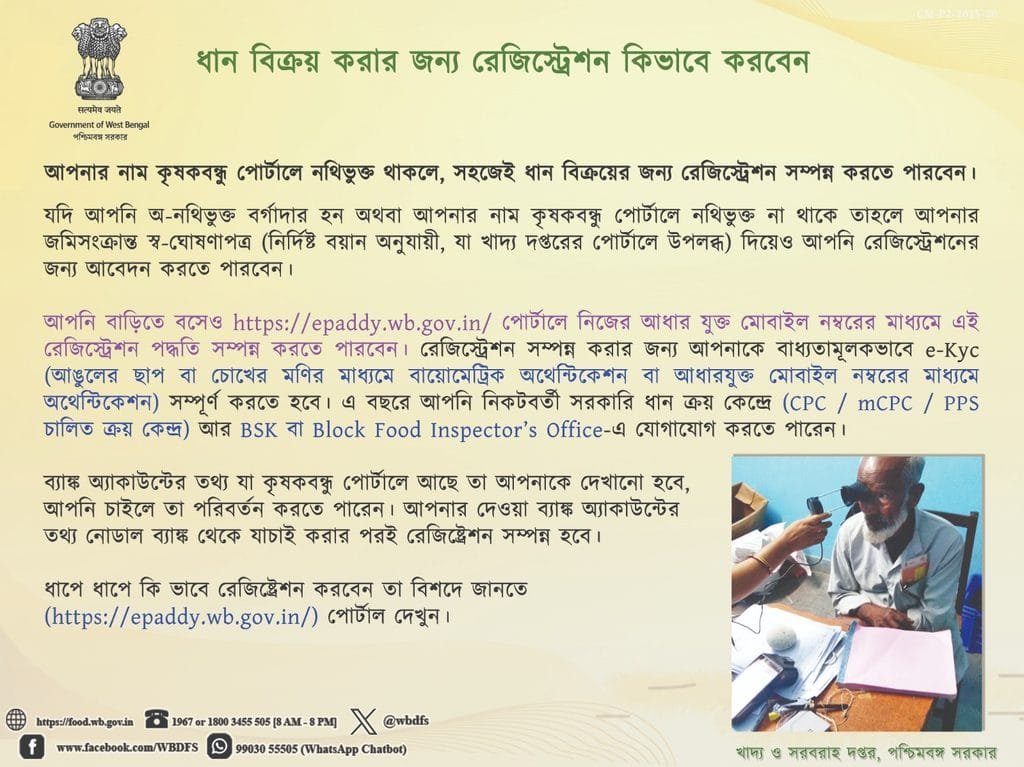
- Visit the official e-Paddy portal at epaddy→
- Select “Farmer Self Registration.”
- Enter your personal and land details — name, address, and cultivation/land record information. Land details should preferably be the ROR (Record of Rights) of the land in your own name, with the area entered in acres (for example, .25 acres means 25 decimals).
- Enter your bank account details carefully, since this is where your procurement payment will be sent.
- Verify your mobile number via OTP.
- Submit your registration only after filling in every detail exactly, and upload all required documents as proof.
- Wait for approval from the concerned authority, such as the BDO (Block Development Officer).
- Check your Farmer Profile on the portal to confirm your details have been recorded correctly. Once approved, you are officially a registered farmer, eligible to sell your paddy at MSP.
Scheduling Your Paddy Sale
Once registered, you don’t need to simply show up at a procurement centre and wait your turn. The portal includes a Self-Scheduling feature where you can:


- Log in to your farmer profile
- Select your preferred procurement centre
- Choose an available date and time slot to bring your paddy for sale
- Confirm your bank details are correct before finalizing, since this is your last checkpoint before payment processing
Checking Your Status and Certificate
- Use the Public Profile section on the portal to view your registered details, past transactions, and procurement history
- A Farmer Certificate can also be generated through the portal, which can serve as proof of your registered farmer status for procurement purposes
A Few Practical Tips
- Double-check your bank details before submitting — incorrect account numbers or IFSC codes are one of the most common reasons for payment delays.
- Keep your Aadhaar-linked mobile number active, since OTP verification is required at multiple steps.
- Registering early in the procurement season helps you get a better choice of scheduling slots at your preferred centre.
- If you’re already a Krishak Bandhu beneficiary, keep that ID handy — it can simplify parts of the registration process.
Need Help?
If you run into issues during registration or scheduling, you can contact the Department of Food & Supplies, Government of West Bengal, through their toll-free helpline:
Toll-Free: 1800 345 5505 / 1967
Procurement schedules, MSP rates, and portal features are updated by the West Bengal government each season. Always confirm the current process, deadlines, and MSP rate on the official e-Paddy portal (epaddy.wb.gov.in) before registering or scheduling your sale.