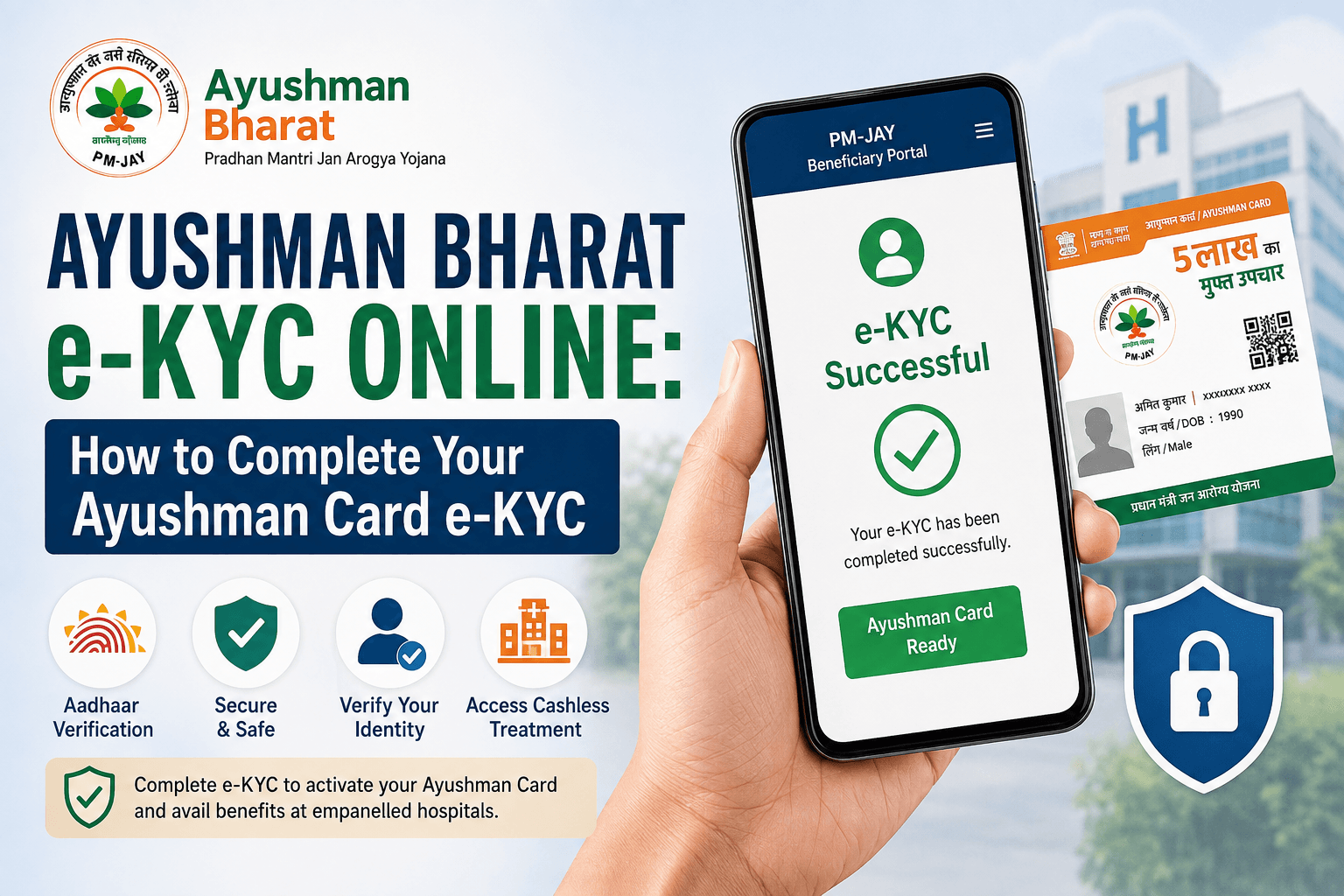
Complete your Ayushman Bharat e-KYC online using Aadhaar, check your verification status, and learn what to do if the process fails.
Thank you for reading this post, don't forget to subscribe!August 16, 2026|CoreSignal
If you’ve applied for an Ayushman Card, or found your name on the PM-JAY beneficiary list but still can’t get it to work at a hospital, the reason is very often incomplete e-KYC — the identity verification step that confirms you’re really the person the card claims to represent. Until this is done, your card typically doesn’t function the way it’s supposed to.
For most people, this can be completed from home using Aadhaar-based verification through the official beneficiary portal. This guide covers what e-KYC involves, how the process generally works, and — just as importantly — where the reliable information stops and you genuinely need to confirm things with NHA’s helpline, a CSC, or your hospital directly rather than take an online guide’s word for it.
What Is Ayushman Bharat e-KYC?
e-KYC is a digital identity verification step, generally carried out against your Aadhaar record, that confirms your details on the PM-JAY (Pradhan Mantri Jan Arogya Yojana) database match who you actually are. It exists to prevent fraud and keep beneficiary records accurate.
Who Needs to Complete Ayushman Card e-KYC?
You’ll likely need to complete or redo e-KYC if:
- You’re applying for an Ayushman Card for the first time
- Your record shows a status suggesting verification is incomplete
- Your details (name, date of birth, etc.) don’t match your Aadhaar record
- You’re adding a new family member to an existing entry
It’s widely reported that each family member needs their own e-KYC completed individually, rather than one verification covering the whole household — but I couldn’t confirm this against an official NHA document, so treat it as the general pattern rather than a guaranteed rule, and don’t be surprised if your own experience varies slightly.
What You Need Before Starting
- Your Aadhaar number
- A mobile number linked to your Aadhaar (for the OTP)
- Your PMJAY ID or Family ID, if you have one already
- A device with a working camera, if face authentication is offered to you
If your mobile number isn’t linked to Aadhaar, OTP-based verification won’t work, and you’ll need an in-person alternative (covered below).
How Ayushman Bharat e-KYC Generally Works Online
The exact screens and button labels seem to vary somewhat — different sources describe slightly different wording and step order, which suggests the portal has changed over time or differs by state. Broadly, though, the process works like this:
- Go to the official beneficiary portal
- Log in using your mobile number and the OTP sent to it.
- Search for your record — typically using your Aadhaar number, PMJAY ID, or Family ID.
- Your name and family details appear, along with a status indicating whether e-KYC is still needed.
- Select the e-KYC option next to your name and choose a verification method.
- Complete the verification.
- Once successful, your status should update, and the Ayushman Card typically becomes available to download.
If any step on the actual portal looks different from this when you try it, go with what’s in front of you rather than this description — portals get updated, and this summary reflects commonly reported behaviour, not a live walkthrough.
Verifying With Aadhaar
Aadhaar-based verification appears to be the primary method, generally offered through some combination of:
- Aadhaar OTP — sent to your Aadhaar-linked mobile number
- Fingerprint authentication — typically via app or an assisted centre
- Iris scan — another biometric option, generally used through the app
- Face authentication — a live photo matched against your Aadhaar photo, useful when OTP or fingerprints aren’t practical
Not every method may be available to every user or in every state. If you don’t see an option mentioned here on your own screen, that’s not unusual — go with whatever the portal actually offers you.
If Aadhaar OTP or e-KYC Fails
A few commonly reported issues:
- No OTP received — usually means your mobile number isn’t currently linked to Aadhaar. This needs fixing with UIDAI, or you’ll need biometric verification instead.
- Details mismatch — if your name or date of birth doesn’t match Aadhaar, verification may not go through. This generally needs correction through Aadhaar or help from a CSC.
- Face authentication not matching — often linked to lighting or an outdated Aadhaar photo.
- Portal slow or unresponsive — the portal reportedly sees heavy traffic; trying again later is a common workaround.
If self-fixes don’t work, the more reliable next step is getting help in person — CSC, hospital, or the helpline — rather than repeatedly troubleshooting alone.
How to Check Your e-KYC / Card Status
Log in to the beneficiary portal the same way as above and search your record. The status shown against your name should indicate whether e-KYC is pending, done, or whether your card is ready to download.
On whether an e-KYC-pending card can be used for treatment: I could not confirm this either way from an official source, and different informal sources aren’t fully consistent on it. Don’t assume either outcome. If you’re unsure whether your coverage is active before or during a hospital visit, the safest move is to confirm directly — call the PM-JAY helpline (14555) or ask the hospital’s Ayushman Mitra desk to check your status on their end before assuming you’re covered or not covered.
Completing KYC Offline
If Aadhaar OTP doesn’t work for you, offline options include:
- Common Service Centre (CSC) — CSC operators can generally carry out biometric e-KYC on your behalf.
- Empanelled hospital — most network hospitals have an Ayushman Mitra desk that can verify eligibility and assist with e-KYC, which is often the practical option if you’re trying to sort this out around the time of treatment.
- PM-JAY helpline (14555) — can point you to your nearest enrolment point if you’re not sure where to go.
Some CSCs may charge a service fee for assisted registration; this isn’t something I could confirm as either uniformly free or uniformly paid, so it’s worth asking locally.
A state-specific note: West Bengal and Odisha run their own state health schemes (Swasthya Sathi and BSKY respectively) rather than PM-JAY, so if you’re in either state, the process and portal described here may not apply to you directly — check with your state health department instead.
Frequently Asked Questions
Sources:
- National Health Authority (nha.gov.in, beneficiary.nha.gov.in) — general scheme and e-KYC references
- Pradhan Mantri Jan Arogya Yojana official website (pmjay.gov.in)
A note on sourcing: several procedural specifics in this piece — exact button labels, whether every family member independently needs e-KYC, and whether a pending e-KYC card can be used for treatment — could not be confirmed against an official NHA/PM-JAY document during this fact-check. They’re presented above as commonly reported rather than officially verified, and readers are pointed to the 14555 helpline or an Ayushman Mitra desk for anything that affects whether they’re actually covered.